Manage API Keys
Create, rotate, and revoke API keys with role-based access and environment scoping.
API keys authenticate every request to the SDP API. Each key is scoped to an environment (sandbox or production) and assigned a role that determines what operations it can perform.
Key format
| Environment | Prefix | Solana network |
|---|---|---|
| Sandbox | sk_test_ | devnet |
| Production | sk_live_ | mainnet-beta |
Roles
| Role | Description |
|---|---|
api_admin | Full access including custody and platform operations |
api_developer | Read/write access, excludes custody actions |
api_readonly | Read-only access to all resources |
Create a key
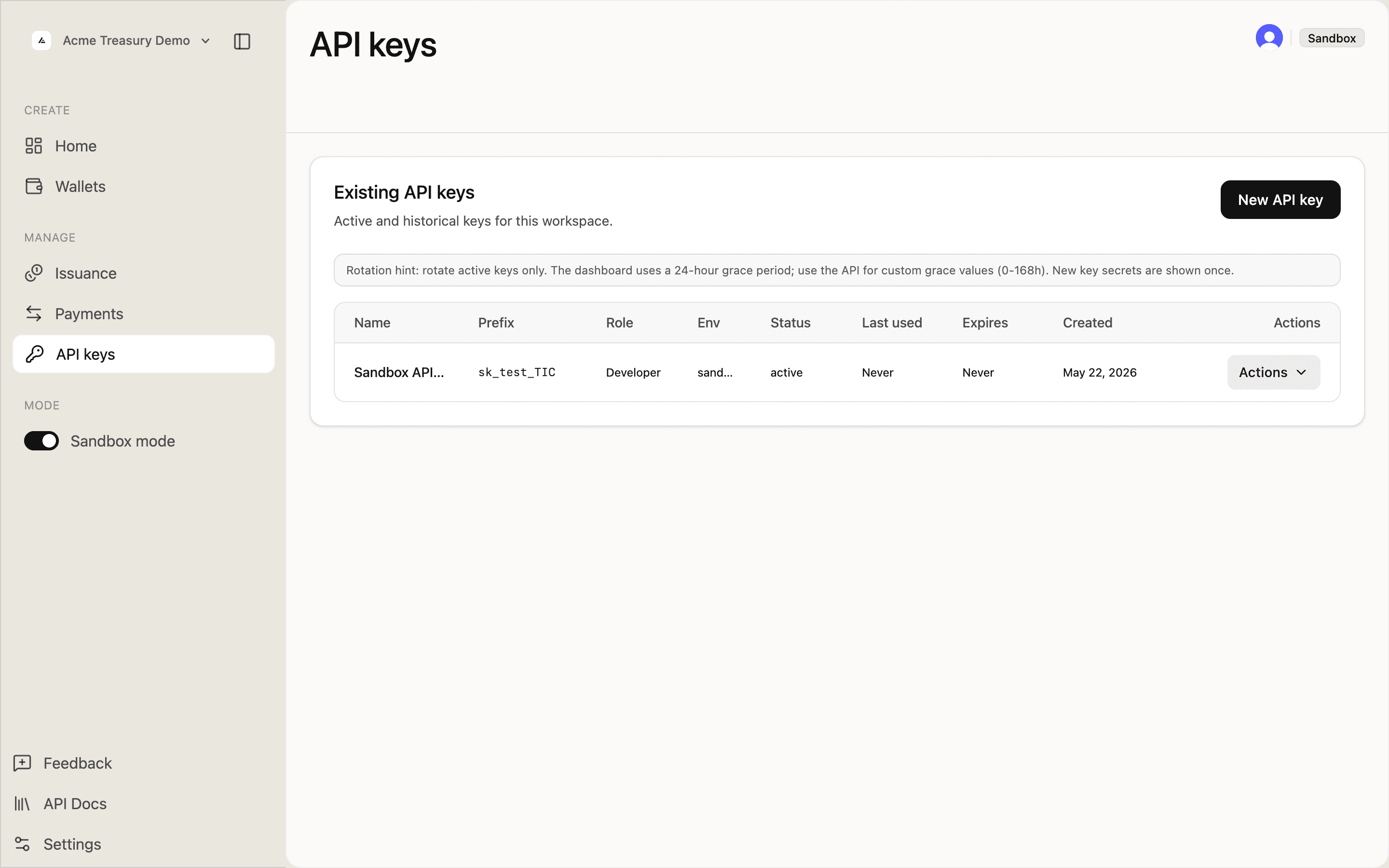
Navigate to API keys in the sidebar. You'll start with an empty list.
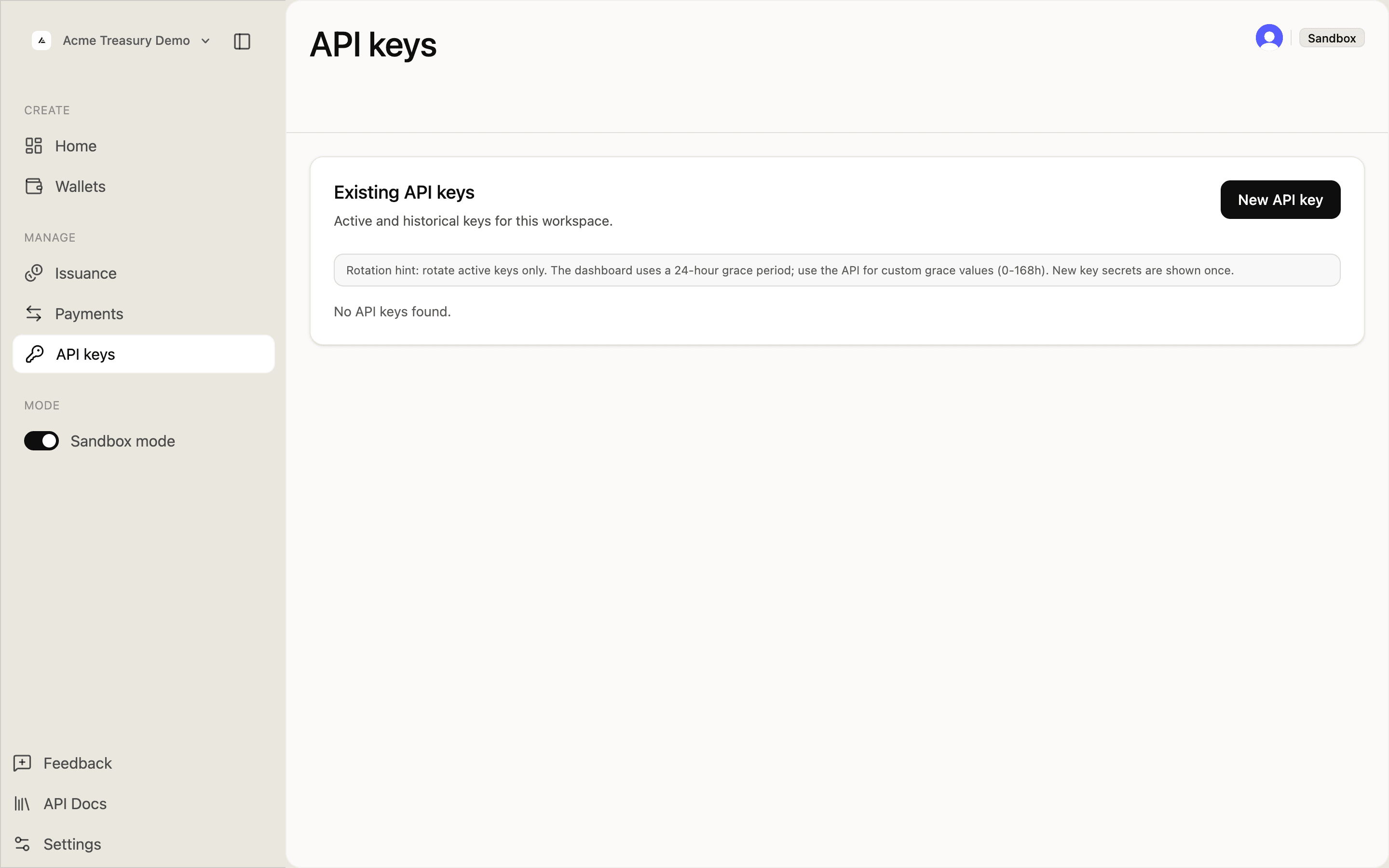
Click New API key in the top right. Fill in the key details:
- Name — a descriptive label (e.g., "CI deploy key")
- Role — Admin, Developer, or Read only
- Environment — Sandbox or Production
- Wallet access — All wallets or Selected wallets
- Expiration (optional) — date/time picker
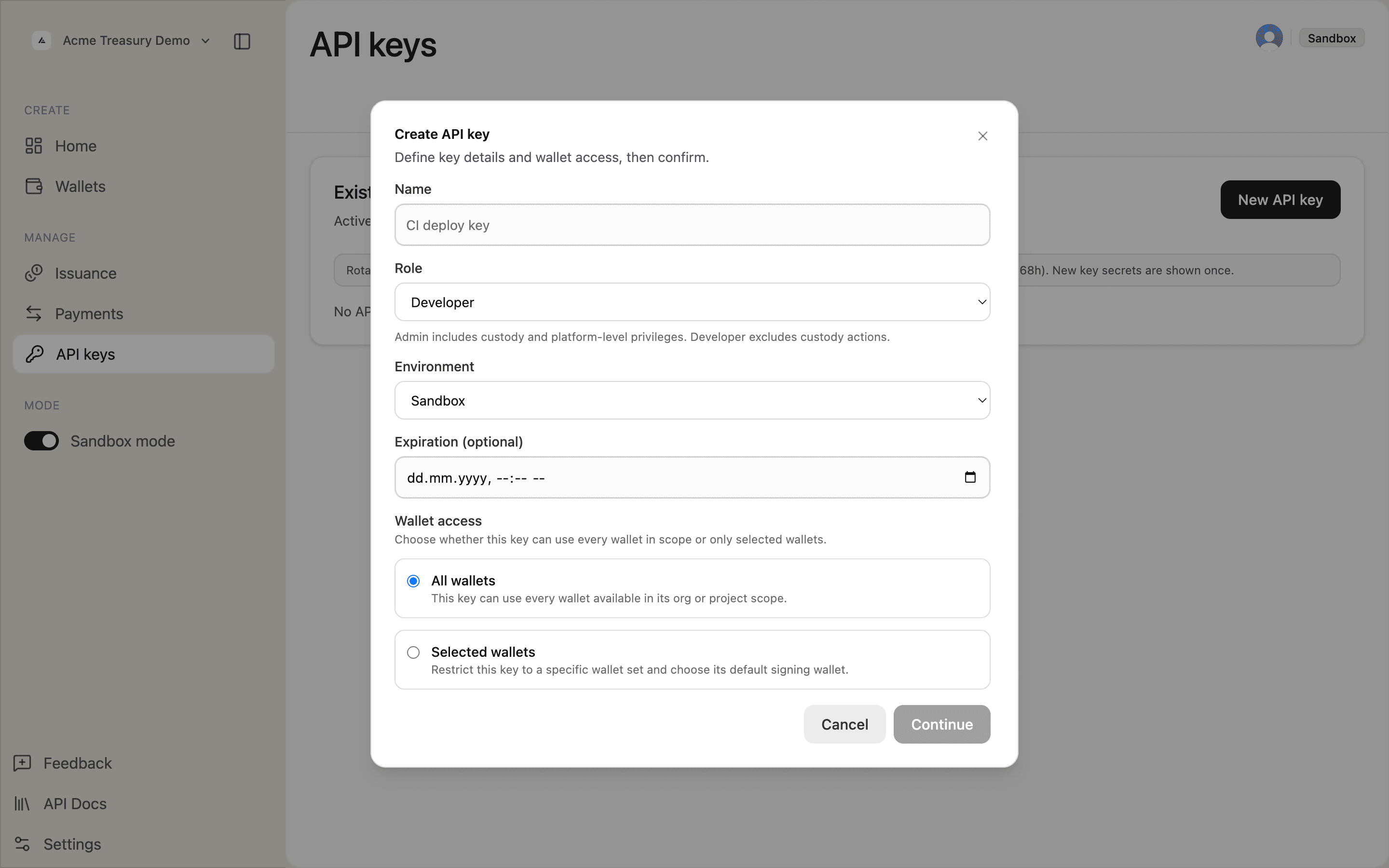
Click Continue. Review the summary and click Create key.
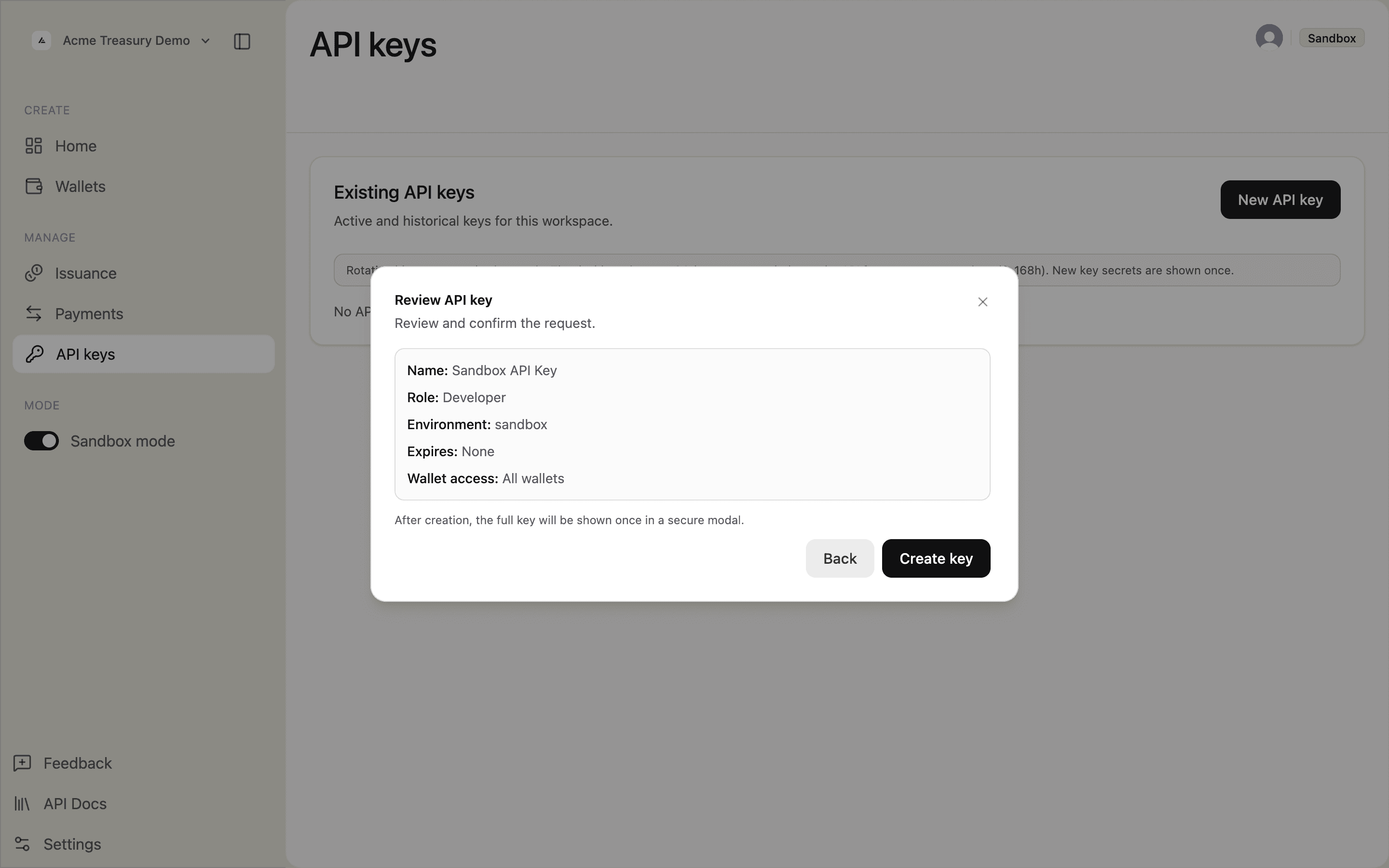
The full key appears once in the API key generated modal. Click Copy and save it — it will not be shown again.
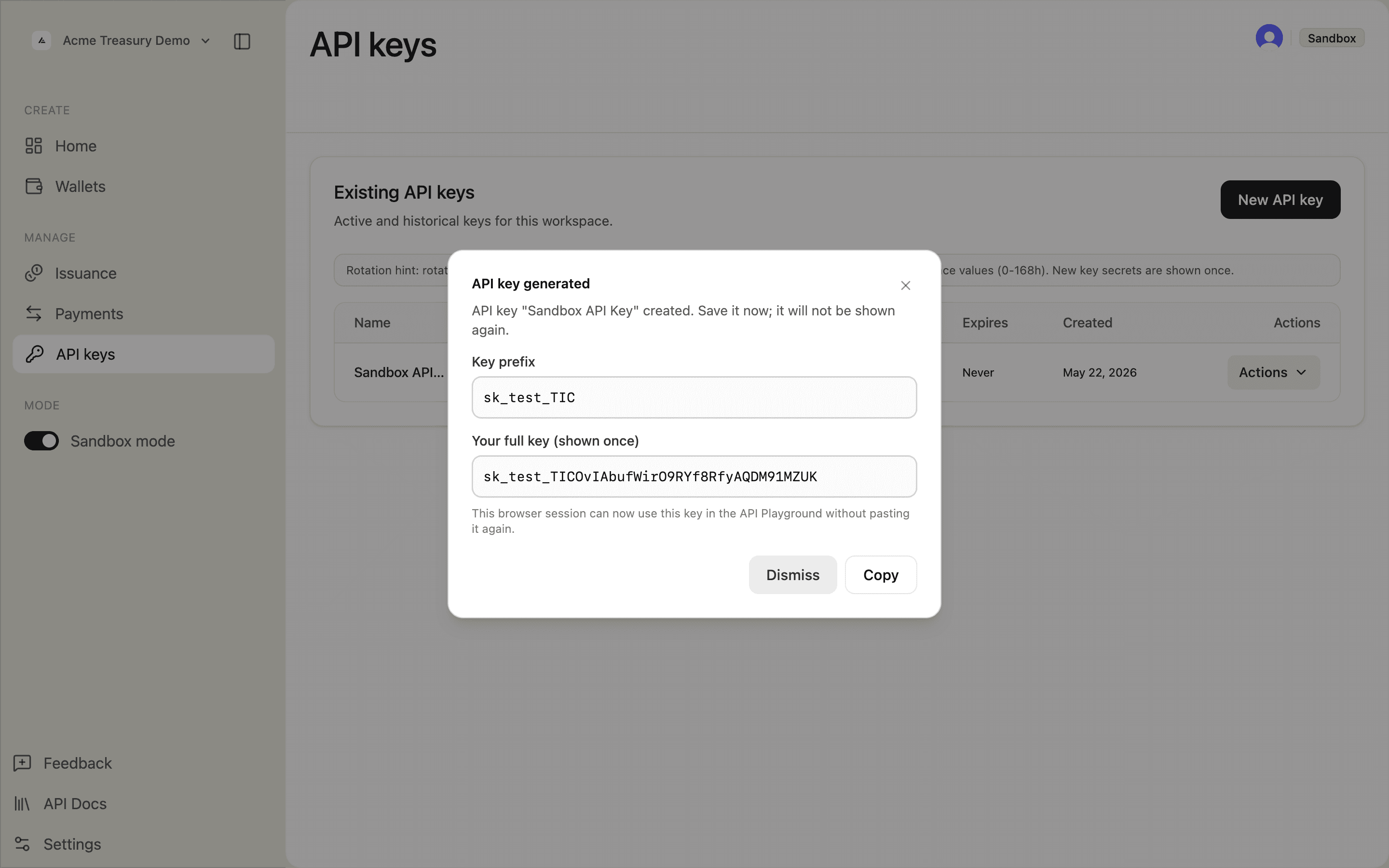
After dismissing, the key appears in the table with its prefix, role, environment, and status.
curl -X POST https://api.solana.com/v1/api-keys \
  -H "Authorization: Bearer sk_test_..." \
  -H "Content-Type: application/json" \
  -d '{
    "name": "CI deploy key",
    "role": "api_developer",
    "environment": "sandbox",
    "walletScope": "all",
    "expiresAt": "2026-12-31T23:59:59Z"
  }'
const response = await fetch("https://api.solana.com/v1/api-keys", {
method: "POST",
headers: {
"Authorization": "Bearer sk_test_...",
"Content-Type": "application/json",
},
body: JSON.stringify({
name: "CI deploy key",
role: "api_developer",
environment: "sandbox",
walletScope: "all",
expiresAt: "2026-12-31T23:59:59Z",
}),
});
const { data } = await response.json();
// data.apiKey.key — save this, only shown onceHttpRequest request = HttpRequest.newBuilder()
.uri(URI.create("https://api.solana.com/v1/api-keys"))
.header("Authorization", "Bearer sk_test_...")
.header("Content-Type", "application/json")
.POST(HttpRequest.BodyPublishers.ofString("""
{
"name": "CI deploy key",
"role": "api_developer",
"environment": "sandbox",
"walletScope": "all",
"expiresAt": "2026-12-31T23:59:59Z"
}"""))
.build();The response includes the full key value — save it, it is only returned once.
Optional fields: allowedIps (CIDR ranges), permissions (fine-grained), signingWalletId, walletBindings.
Rotate a key
In the API keys table, open the Actions dropdown next to the key and click Rotate key (24h grace). The dashboard always uses a 24-hour grace period — use the API if you need a custom value (0–168h).
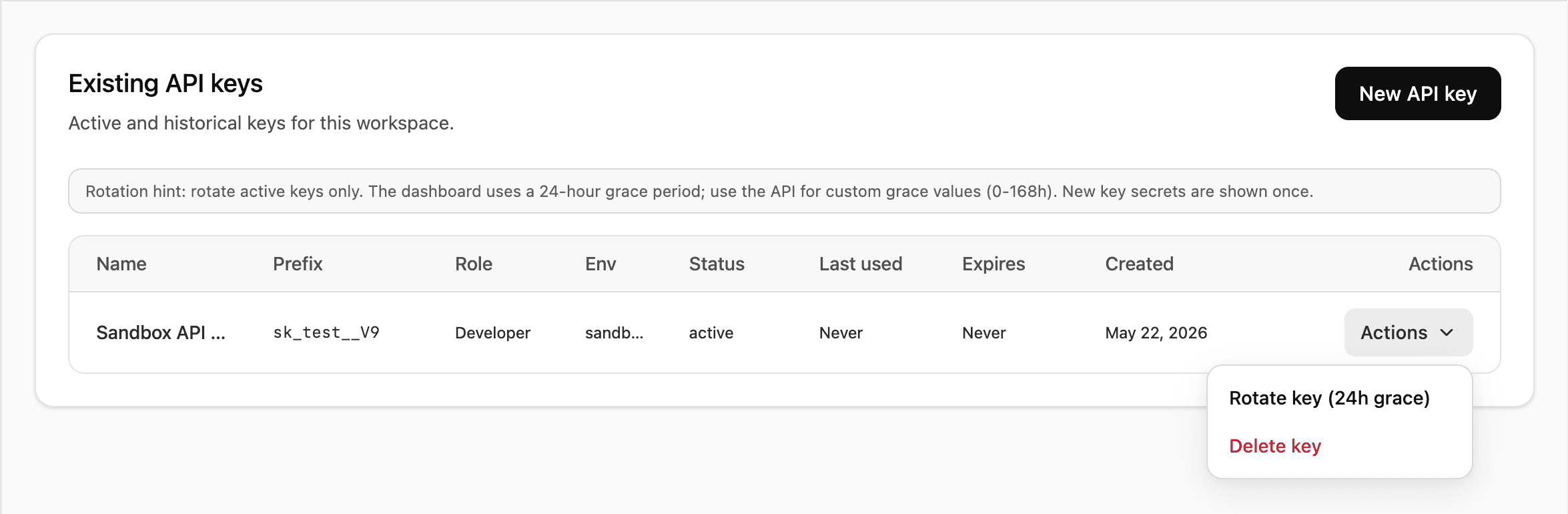
During the grace period both the old and new key are valid. The new key value appears once in the generated key modal — save it immediately.
curl -X POST https://api.solana.com/v1/api-keys/key_abc123/rotate \
  -H "Authorization: Bearer sk_test_..." \
  -H "Content-Type: application/json" \
  -d '{ "gracePeriodHours": 24 }'
const response = await fetch(
"https://api.solana.com/v1/api-keys/key_abc123/rotate",
{
method: "POST",
headers: {
"Authorization": "Bearer sk_test_...",
"Content-Type": "application/json",
},
body: JSON.stringify({ gracePeriodHours: 24 }),
}
);
const { data } = await response.json();
// data.apiKey — the new keyHttpRequest request = HttpRequest.newBuilder()
.uri(URI.create("https://api.solana.com/v1/api-keys/key_abc123/rotate"))
.header("Authorization", "Bearer sk_test_...")
.header("Content-Type", "application/json")
.POST(HttpRequest.BodyPublishers.ofString("""
{ "gracePeriodHours": 24 }"""))
.build();The old key remains valid for the grace period (0–168 hours).
Revoke a key
Open the Actions dropdown next to the key and click Delete key. The key stops working immediately and cannot be restored.
curl -X DELETE https://api.solana.com/v1/api-keys/key_abc123 \
  -H "Authorization: Bearer sk_test_..." \
  -H "Content-Type: application/json" \
  -d '{ "confirmation": "CI deploy key" }'
await fetch("https://api.solana.com/v1/api-keys/key_abc123", {
method: "DELETE",
headers: {
"Authorization": "Bearer sk_test_...",
"Content-Type": "application/json",
},
body: JSON.stringify({ confirmation: "CI deploy key" }),
});HttpRequest request = HttpRequest.newBuilder()
.uri(URI.create("https://api.solana.com/v1/api-keys/key_abc123"))
.header("Authorization", "Bearer sk_test_...")
.header("Content-Type", "application/json")
.method("DELETE", HttpRequest.BodyPublishers.ofString("""
{ "confirmation": "CI deploy key" }"""))
.build();The confirmation field must match the key's name. The key stops working immediately.