Basic payment
Send a single token transfer with SDP.
SDP handles token transfers through its payments API. A basic payment moves tokens from a custody wallet you control to any Solana wallet address.
The sourceCustodyWalletId field is the exact SDP Wallet id (cwlt_…, from GET /v1/wallets), resolved server-side from the caller's custody-wallet list; destination is the recipient's on-chain wallet (owner) address — for SPL transfers, SDP derives the associated token account (ATA) from this address and creates it if needed, so pass the wallet pubkey, not a token-account address.
Transfers are available through the Payments dashboard and the API.
Prerequisites
- A token balance in the source wallet
- A custody wallet to use as
sourceCustodyWalletId, with a custody signer configured so SDP can sign and submit. - An API key holding the
transfers.executegrant whose wallet scope includes the source wallet.POST /v1/payments/transfersrequires the action at the route, and SDP checks the key, its grant and the source wallet again when it signs.
How it works
Set up the transfer
Specify the source, destination, token, and amount.
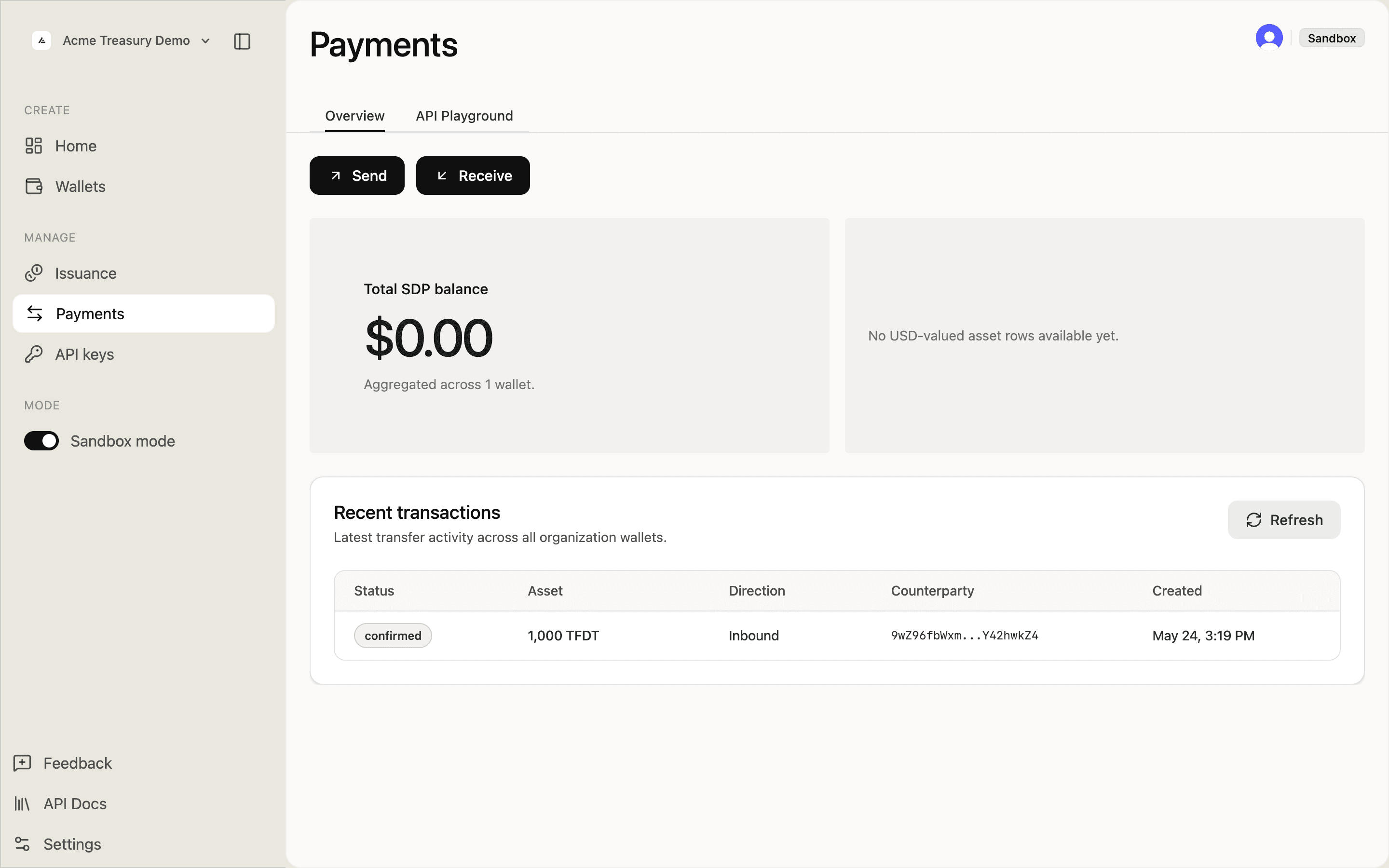
Go to Payments in the sidebar. The overview shows your total SDP balance, recent transactions, and Send / Receive actions.
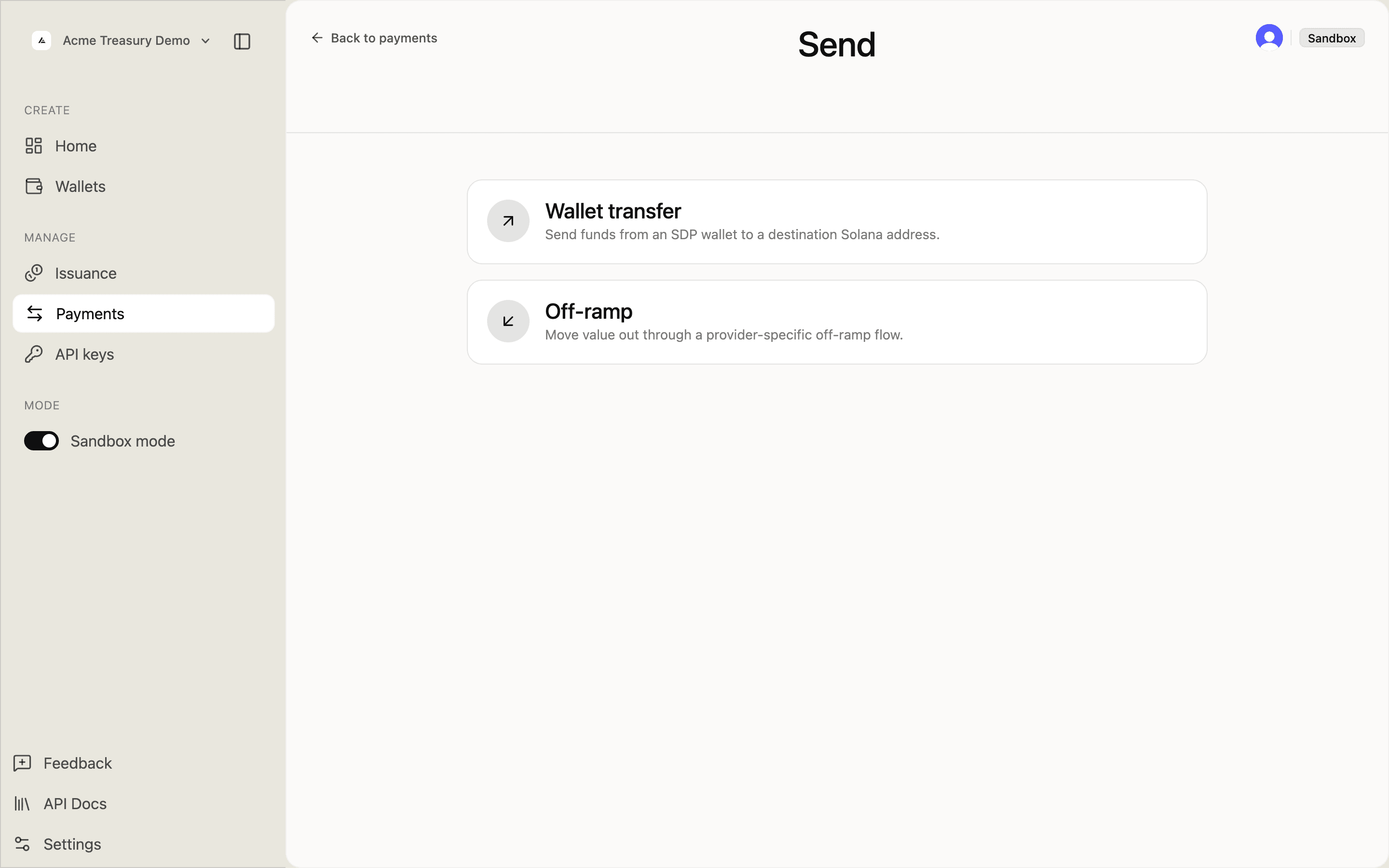
Click Send and select Wallet transfer to send from an SDP wallet to a Solana address.
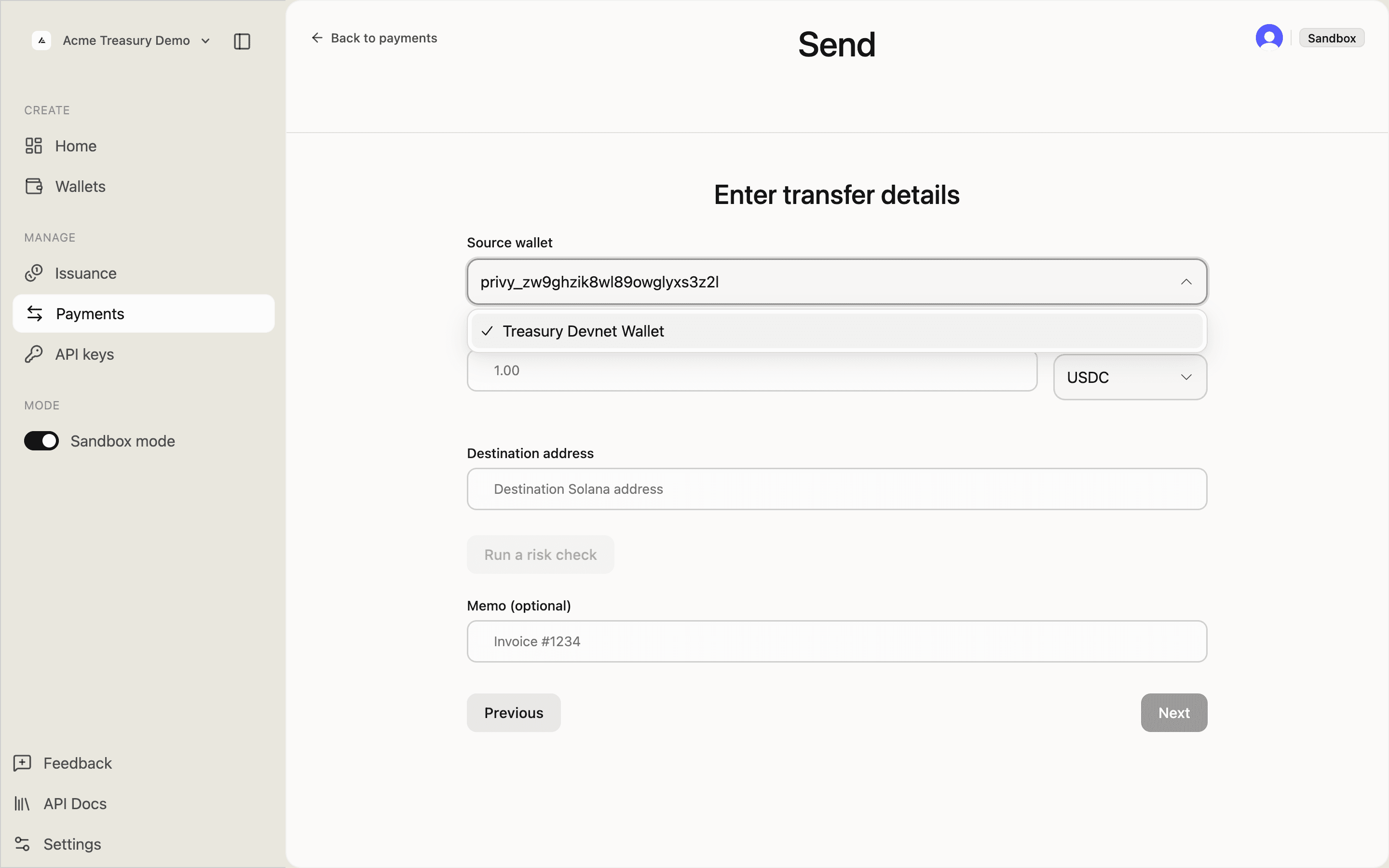
On the Enter transfer details form, select a source wallet from the dropdown.
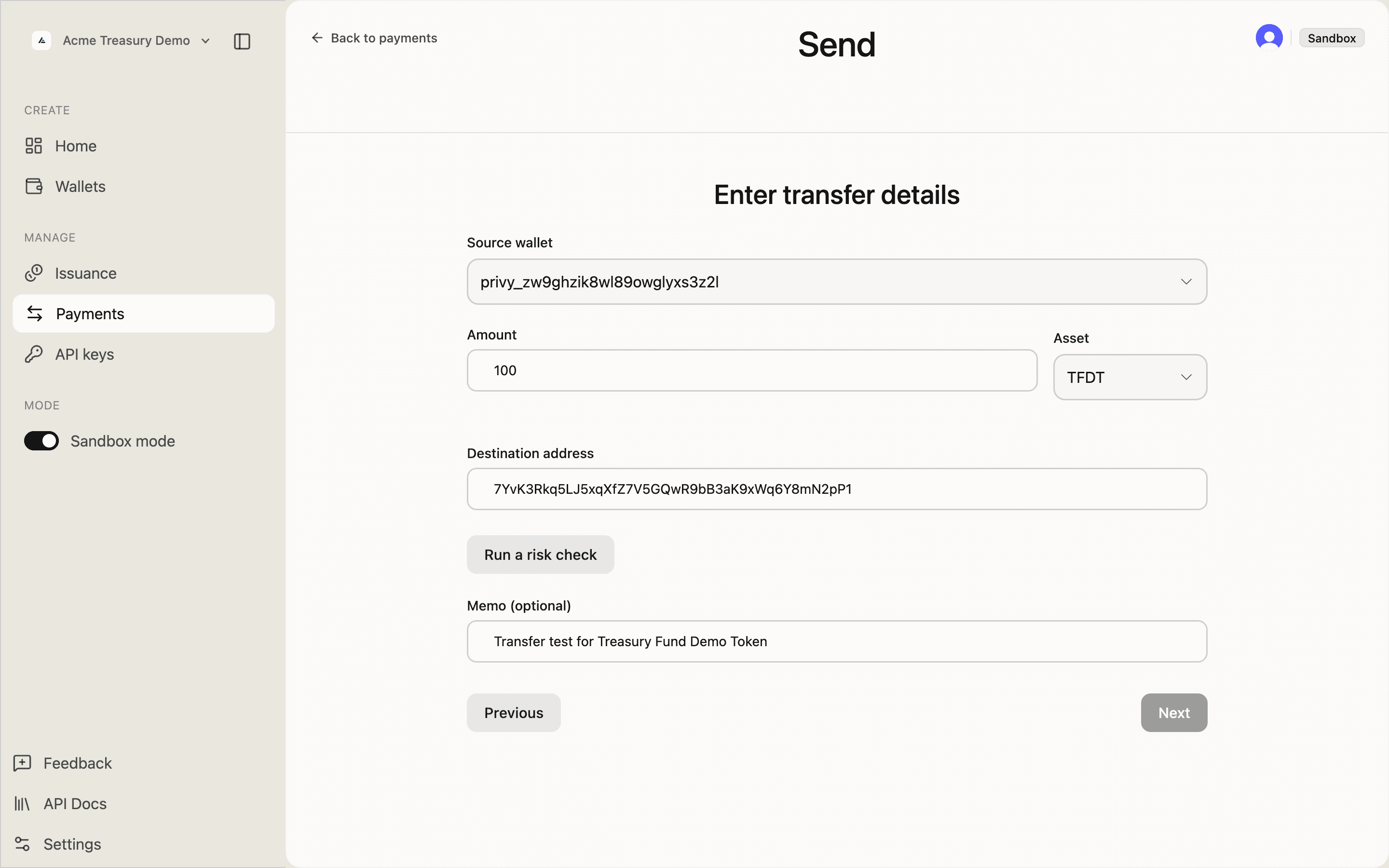
Fill in:
- Source — a wallet you control in SDP
- Amount — human-readable units (e.g.,
0.5) - Asset — select from your deployed tokens
- Destination address — any valid Solana wallet address
- Memo — optional note recorded onchain
Execute the transfer
Submit the transfer. SDP signs with the source custody wallet and submits the transaction.
Click Review to see the transfer summary, then Confirm to submit.
The transfer status updates to Confirmed once the transaction is finalized.
Verify the transfer
Confirm the transfer completed and balances updated.
The transfer appears in Payments history with a confirmed status and an onchain transaction signature.
Click the record to see full details including the Solana Explorer link.
Pay a counterparty
When destination is a saved counterparty's Solana address, pass that account's ID as counterpartyAccountId. SDP ties the transfer to the counterparty, as it does for a transfer batch recipient: the transfer carries counterpartyId, and GET /v1/payments/transfers?counterpartyId= lists it.
The account must be an active crypto_wallet account in the same project, and destination must be its address. An unknown or inactive account returns 404, any other mismatch returns 400, and no transfer is created. counterpartyAccountId cannot be combined with transferId.
SOL and the rent-exempt minimum
A Solana wallet holds either nothing or at least the rent-exempt minimum (about 0.00089 SOL). SDP refuses a native SOL transfer with 409 AMOUNT_BELOW_RENT_MINIMUM if it would fund an empty address below that minimum or leave the source with a nonzero balance below it. Nothing is written or sent.
details.recipientIndexes ([0]) or details.sourceRemainder identifies the problem; details.minimumAmount gives the minimum. Fund the address, send at least the minimum, or send the source wallet's whole balance. The 409 is not stored under the Idempotency-Key, so the same request can run after the balance changes. Token transfers are unaffected: SDP sponsors rent for a missing token account.
Deduplication
POST /v1/payments/transfers requires an Idempotency-Key; without one it returns 400 IDEMPOTENCY_KEY_REQUIRED. Use one stable key per payment and reuse it for retries. A same-key retry returns the original transfer. A changed request, wallet, or credential returns 422 IDEMPOTENCY_KEY_REUSED; an in-flight request returns 409 IDEMPOTENCY_KEY_IN_FLIGHT with Retry-After.
A recorded failure (such as 400 TRANSACTION_FAILED) replays the same error; use a new key to try again. Replays are snapshots, so read the transfer with GET for its current status. See Idempotency for the full contract.
Persist the returned Transfer.id as your local primary key. Once populated, the on-chain signature is also unique across SDP transfers and can deduplicate records across SDP and another chain indexer.
See Payouts and disbursements for the same pattern applied to a run of transfers.
Related
- Payment with memo — using the
memofield to carry order references - Payouts and disbursements — batched outbound flows
- Verifying a payment — transfer-status semantics and finality